
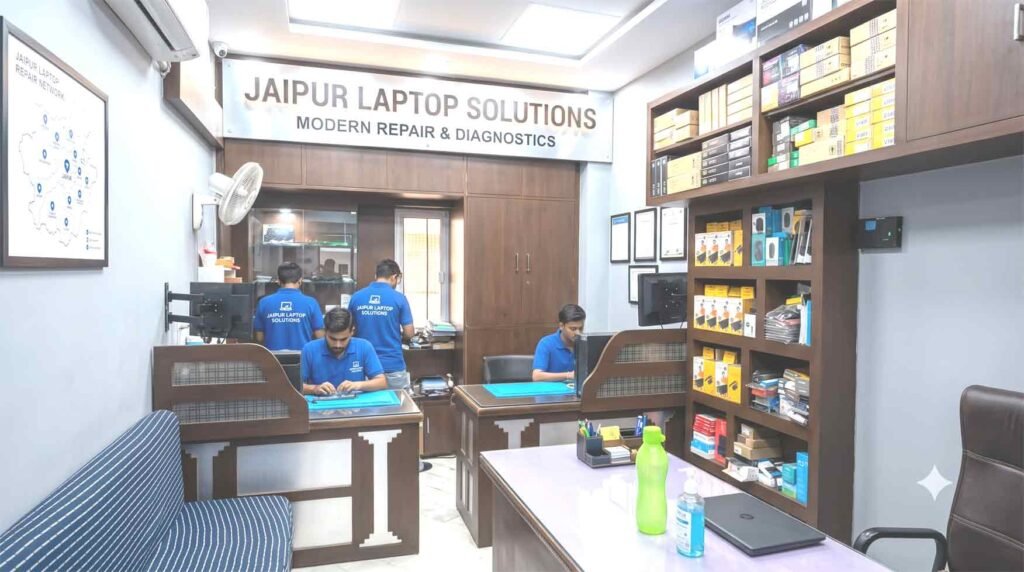
The Academic Emergency Desk: Rapid Engineering Support for Jaipur’s Student Hubs
Midterm assignments, research coding sessions, and major final project submissions leave zero room for sudden hardware crashes. When a system freezes during an exam night or the screen goes black right before a presentation, waiting weeks at standard service queues is not an option. ShivShakti Laptop Service Repair Center provides Lenovo an express, component-level technical workshop tailored specifically to the needs of students and faculty across Jaipur’s prominent educational corridors.
Table of Contents
ToggleSituated directly along Jawahar Lal Nehru (JLN) Marg at Crystal Court Mall, our bench facility is positioned right at the intersection connecting MNIT, Malviya Nagar, Jagatpura, and the Sitapura industrial-educational belt.
Why Jaipur University Students Rely on Our Lenovo Technical Support
We specialize in fixing all Lenovo laptop issues. When students face sudden hardware or software problems and need instant repairs, we are their top choice. Thanks to countless word-of-mouth recommendations, we have built a reputation as the most trusted professional laptop repair center in the area.
+-----------------------------------------------------------------------+
|                    CAMPUS QUICK-ACCESS OVERVIEW                       |
+-----------------------------------------------------------------------+
|  Primary Hub  : ShivShakti Laptop Service Repair Center              |
|  Location     : 191, Jaipur Stock Exchange, Crystal Court,            |
|                 Malviya Nagar, JLN Marg, Jaipur, Rajasthan 302017    |
|  Nearby Hubs  : MNIT Jaipur, SKIT Jagatpura, Poornima Sitapura, JNU   |
|  Services     : Express Diagnostics, Thermal Overhauls, Board Repairs  |
|  Operating Hrs: Monday to Saturday: 10:00 AM – 8:00 PM (Sun Closed)   |
+-----------------------------------------------------------------------+
Purpose-Built for Campus Life and High Workloads
Standard customer assistance desks often recommend total board replacements for small circuit faults, resulting in long delays and high costs. Our lab focuses on micro-soldering, direct component testing, and targeted repairs. Whether you accidentally spilled coffee over your keyboard during a late-night study session or your cooling fan started grinding, our engineers fix the exact point of failure to get you back to your studies quickly.
Common Campus Hardware Challenges & Engineering Solutions
College usage subjects portable computers to constant movement, thermal stress from extended rendering or simulation runs, and physical wear.
                 +-----------------------------------+
                 |    Student Urgent Counter Arrival  |
                 +-----------------+-----------------+
                                   |
                                   v
                 +-----------------------------------+
                 |  Rapid Multimeter & Circuit Check |
                 +-----------------+-----------------+
                                   |
                                   v
                 +-----------------------------------+
                 | Precision Soldering / Component   |
                 +-----------------+-----------------+
                                   |
                                   v
                 +-----------------------------------+
                 | Full System Diagnostic Burn-In    |
                 +-----------------------------------+
1. High Thermal Loads & System Throttling
Continuous compilation in MATLAB, CAD software, or video editing apps causes extreme processor heating.
Compound Refreshment: Over time, factory thermal compound hardens, leading to thermal throttling and sudden power-offs. We clean internal heatsinks and apply high-performance phase-change material (such as Honeywell PTM7950) or top-tier thermal pastes.
Fan Assembly Maintenance: Resolving rattling, clogged, or non-functional cooling fans with high-static-pressure replacements.
2. Accidental Drop & Hinge Stress Fractures
Carrying devices in packed backpacks often leads to corner impacts or cracked hinge mounts.
Chassis Anchor Restoration: Modern slim profiles often experience broken brass screw inserts inside the plastic casing. Instead of replacing the entire outer shell, we rebuild internal anchor points using industrial steel-epoxy compounds, adjusting torque for smooth opening.
High-Definition Panel Fittings: Full-HD, IPS, and high-refresh-rate panel installations for broken, flickering, or line-filled displays.
3. Power Rail Failures & Battery Drainage
Intermittent charging or a system that refuses to turn on can disrupt academic work.
If your device experiences issues where it stays on power without charging the battery, our bench team carries out a full Lenovo laptop plugged in not charging fix by analyzing the charging control chip, current-sensing resistors, and input MOSFETs.
DC Jack & Port Refastening: Heavy use of USB Type-C charging ports can loosen soldered joints. We desolder worn connectors and solder heavy-duty connectors to restore steady power delivery.
Supporting Key Campuses & Student Corridors Across Jaipur
Lenovo laptop repair center Malviya Nagar Our location along JLN Marg allows easy access for students across all major educational zones.
       +-------------------------------------------------------+
       |   CENTRAL REPAIR LAB (Crystal Court / JLN Marg)       |
       +---------------------------+---------------------------+
                                   |
         +-------------------------+-------------------------+
         |                         |                         |
         v                         v                         v
+------------------+     +------------------+     +------------------+
| MNIT & MALVIYA   |     | JAGATPURA & SKIT |     | SITAPURA &       |
| NAGAR CORRIDOR   |     | ACADEMIC ZONE    |     | POORNIMA / JNU   |
+------------------+     +------------------+     +------------------+
1. MNIT Campus & Malviya Nagar Belt
Located just minutes down JLN Marg, MNIT students can easily visit our counter between lectures. If you require Lenovo laptop repair near MNIT Jaipur, our technicians provide quick estimates and fast turnarounds so your research projects stay on schedule.
2. Jagatpura Educational Belt (SKIT, JNU & Model Town)
Engineering students working on heavy CAD models or software projects need immediate support when hardware issues arise. If you are looking for a reliable Lenovo service center near SKIT Jaipur, taking Mahal Road toward Apex Circle leads straight to our repair shop.
We also assist students residing in Model Town, Sidharth Nagar, and nearby hostels who need trusted Lenovo laptop repair Jagatpura options without dealing with long turnaround times or inflated costs.
3. Sitapura Industrial & Institutional Corridor (Poornima & Beyond)
Students at Sitapura institutions often balance tight class and lab schedules. If you are searching for an expert Lenovo center near Poornima College Jaipur, our facility provides rapid battery replacements, SSD upgrades, and keyboard repairs with minimum disruption to your day.
4. Surrounding Residential & Commercial Hubs
We also extend express support to nearby residential areas:
Raja Park & Tilak Nagar: Fast access for students and residents seeking reliable Lenovo laptop repair Raja Park options via JLN Marg.
C-Scheme & Central Jaipur: Quick turnarounds for professionals and students looking for a Lenovo service center C-Scheme alternative for out-of-warranty hardware.
Jawahar Nagar: Local pick-up and counter services for families and students needing dependable Lenovo laptop service Jawahar Nagar Jaipur facilities nearby.
Series-Wise Hardware Architecture Handled
We service the complete lineup of portable Lenovo systems:
+------------------+----------------------------------------------------+
| LENOVO SERIES    | COMMON STUDENT ISSUES RESOLVED                     |
+------------------+----------------------------------------------------+
| IdeaPad & Slim   | Cracked display, hinge anchor failure, SSD speedup |
| ThinkPad Series  | Spill cleanup, keyboard swap, BIOS recovery        |
| Legion / LOQ     | Thermal repasting, GPU reballing, power rail fix   |
| Yoga Series      | 360-degree hinge alignment, touch glass repair     |
| ThinkBook        | Type-C port repair, battery replacement, OS recovery|
+------------------+----------------------------------------------------+
IdeaPad & IdeaPad Slim Series
Popular across local college campuses, these lightweight models frequently need RAM/SSD upgrades, keyboard key replacements, and display repairs.
ThinkPad Series (T-Series, E-Series, L-Series, X1)
Known for durability, ThinkPads used by research scholars may occasionally require keyboard replacements, Type-C port refastening, or spill remediation.
Legion & LOQ High-Performance Gaming Systems
Demanding gaming and rendering workloads generate substantial heat. We perform deep cooling maintenance, apply high-grade thermal pads, and fix power delivery circuits around the graphics processor.
Yoga Convertible Series
For flexible 360-degree models, we address touchscreen calibration issues, cracked digitizer glass, and hinge alignment problems.
Step-by-Step Diagnostic & Quality Assurance Process
Transparency keeps you informed at every stage of the repair:
+-------------------------------------------------------------------------+
|                  4-STEP SERVICE WORKFLOW AT SHIVSHAKTI                 |
+-------------------------------------------------------------------------+
| Step 1: Inward Check & Immediate Visual Diagnostic                     |
|         Microscopic evaluation, physical inspection, power test.        |
|                                                                         |
| Step 2: Clear Estimate & Client Approval                                |
|         Transparent cost breakdown before any work begins.              |
|                                                                         |
| Step 3: Component-Level Repair & Thermal Servicing                      |
|         Micro-soldering, OEM parts installation, dust cleaning.         |
|                                                                         |
| Step 4: Multi-Point Quality Audit & System Stress Test                  |
|         Display checks, port validation, 48-hour burn-in run.           |
+-------------------------------------------------------------------------+
Step 1: Initial Diagnostics
Our technicians examine the machine under a stereo zoom microscope, testing power draws and logging serial numbers alongside reported symptoms.
Step 2: Signal & Power Line Checks
Using multi-meters and bench supplies, we check voltage levels to isolate short circuits or signal disruptions.
For visual issues, our team completes a Lenovo display light flickering repair process by testing eDP ribbon cable continuity, inverter lines, and display signals from the GPU.
Step 3: Upfront Price Approval
We outline all costs for components and labor clearly before starting work. Repair begins only after your approval.
Step 4: Multi-Point Testing Audit
Every repaired unit undergoes thorough checks:
Thermal Stress Runs: System stress tests to monitor processor thermals under continuous workload.
Input/Output Validation: Testing all USB ports, audio outputs, keyboards, trackpads, and wireless cards.
Service Turnaround & Component Warranty Guide
+----------------------------------+-----------------------+---------------------+
| REPAIR CATEGORY                  | TYPICAL DURATION      | WARRANTY PERIOD     |
+----------------------------------+-----------------------+---------------------+
| Thermal Clean & Compound Refresh | 30 - 45 Minutes       | 30 Days             |
| Screen Replacement               | 30 - 45 Minutes       | 90 to 365 Days      |
| Keyboard Unit Fitting            | 1 to 2 Hours          | 90 to 180 Days      |
| Original Battery Replacement     | 30 Minutes            | 180 to 365 Days     |
| Charging Port Repair             | 2 to 4 Hours          | 90 Days             |
| Motherboard Micro-Soldering      | 24 to 48 Hours        | 90 Days             |
+----------------------------------+-----------------------+---------------------+
Frequently Asked Questions
1. How fast can I get my laptop fixed if I have an urgent submission due today?
For standard issues like keyboard key replacements, battery swaps, screen fittings, or RAM/SSD upgrades, our team completes repairs within 30 to 60 minutes. Bring your device directly to our Malviya Nagar counter for rapid service.
2. Do you offer student-friendly pricing for out-of-warranty hardware repairs?
Yes, our component-level repairs help save money by fixing specific broken chips or parts rather than replacing entire circuit boards. Present your college ID card at the counter for special student repair offers.
3. What should I do if water or tea spills onto my keyboard during study hours?
Turn off the machine immediately, disconnect the power cord, and do not attempt to turn it back on. Avoid placing it in rice, which can introduce dust into the internal circuits. Bring it straight to our Crystal Court lab for deep ultrasonic board cleaning to prevent corrosion.
4. Will my assignments and personal project data remain safe during the repair?
Yes, hardware services such as screen replacements, hinge repairs, battery swaps, or cooling maintenance do not affect your storage drive. If an operating system recovery is needed, we create a secure backup of your personal files first.
5. Do you stock original replacement parts for older Lenovo models?
We keep a broad inventory of original screens, high-capacity batteries, keyboards, and charging ports for all series (IdeaPad, ThinkPad, Yoga, Legion, LOQ). Even if an older model is no longer supported by standard centers, we can usually source or repair the required components.
Student Reviews & Issue Resolutions
Verified Fix: IdeaPad Gaming 3 Power Rail Repair
Client: Harsh Vardhan (B.Tech Student, MNIT Jaipur) | Rating: ★★★★★
"My laptop completely shut down while compiling my final semester project and wouldn't turn back on. I brought it to ShivShakti near Crystal Court. They traced a shorted capacitor on the 19V power rail and fixed it within 24 hours. Saved my project and my semester!"
Verified Fix: Legion 5 Thermal Overhaul & Fan Replacement
Client: Saurabh Meena (Mechanical Dept, SKIT Jagatpura) | Rating: ★★★★★
"My machine was hitting 95°C during SolidWorks renders, causing severe slowdowns and fan noise. The technicians replaced a noisy cooling fan and applied phase-change thermal material. Operating temperatures dropped by over 18°C!"
Verified Fix: IdeaPad Slim 3 Hinge Reconstruction
Client: Kirti Sharma (Computer Science, Poornima Sitapura) | Rating: ★★★★★
"The left screen hinge snapped off the plastic casing, making it impossible to close the lid without cracking the screen. ShivShakti reinforced the anchor mounts with steel-epoxy. The screen opens smoothly again now."
Verified Fix: ThinkPad E14 Liquid Spill Ultrasonic Restoration
Client: Aditya Joshi (MBA Scholar, JNU Jaipur) | Rating: ★★★★★
"Spilled tea on my keyboard during late-night study hours. Took it straight to their Malviya Nagar outlet. They disassembled the system, treated the board in an ultrasonic cleaning bath, and replaced the damaged keyboard. Works like new!"
Verified Fix: Yoga 520 Touch Screen Glass Panel Swap
Client: Priyansh Rathore (Architecture Student, Jagatpura) | Rating: ★★★★★
"Cracked my touchscreen digitizer after an accidental drop. Most shops couldn't source the exact part, but ShivShakti ordered the genuine panel and replaced it in under 24 hours. Touch accuracy is back to 100%."
Verified Fix: IdeaPad 3 Display Cable Repair
Client: Nidhi Agarwal (B.Com Student, Raja Park) | Rating: ★★★★★
"My laptop display kept flickering whenever I adjusted the lid angle. They identified a worn eDP ribbon cable, replaced it in 45 minutes, and saved me from having to replace the full screen."
Verified Fix: Charging Port Replacement & Battery Fitment
Client: Rahul Saini (Sidharth Nagar Jaipur) | Rating: ★★★★★
"My charger connector was loose and only worked when held at a specific angle. They installed a heavy-duty DC jack and a new battery in under an hour. Great service!"
Verified Fix: Fast NVMe SSD Installation & OS Setup
Client: Mohit Verma (Model Town Jagatpura) | Rating: ★★★★★
"My laptop was extremely slow, taking 5 minutes just to boot up. The team installed a 512GB NVMe M.2 SSD, migrated my system, and expanded the RAM. Boot times dropped to 7 seconds!"