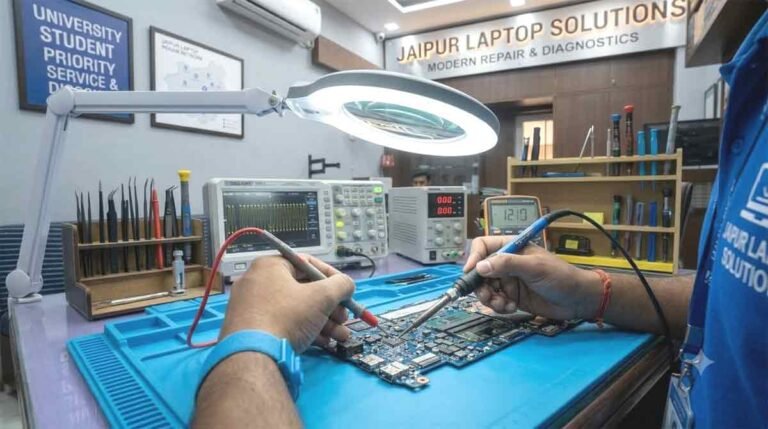
Doorstep Lenovo Laptop Diagnostic & Onsite Battery Replacement Jaipur

A notebook that abruptly shuts down the second its wall charger is unplugged, displays a swollen chassis seam beneath the trackpad, or discharges from full capacity to zero in twenty minutes severely compromises productivity. In modern fast-paced remote work and corporate environments, taking multiple hours out of a crowded schedule to navigate city traffic and stand in line at a repair depot is often impractical. When portable battery chemistry degrades or confusing hardware lockups strike without warning, having certified field engineers arrive directly at your location solves the problem effortlessly.

Table of Contents

Our dedicated engineering fleet provides Doorstep Lenovo Laptop Diagnostic & Onsite Battery Replacement Jaipur, bringing bench-level evaluation tools, authentic high-capacity lithium-polymer power cells, and static-safe diagnostic instruments straight to your living room or corporate desk. We eliminate long service center turnarounds, deliver transparent in-person evaluations, and execute swift power restorations across all neighborhoods of the Pink City.

Jaipur Onsite Dispatch Corridors & Neighborhood Connectivity

Our mobile service units are stationed across key metropolitan corridors to ensure rapid arrival times for residential, commercial, and educational clients.

+-----------------------------------------------------------------------------------------+
|                         ONSITE FIELD SERVICE DISPATCH GRID                              |
+--------------------------+--------------------------------------------------------------+
| Core Institutional Belt  | Sitapura, Pratap Nagar, Sidharth Nagar, Near JNU Campus      |
+--------------------------+--------------------------------------------------------------+
| Eastern Suburbs & Towns  | Jagatpura, Model Town, Malviya Nagar, Tonk Road              |
+--------------------------+--------------------------------------------------------------+
| Central Business Hubs    | C-Scheme, MI Road, Raja Park, Tilak Nagar, Mansarovar        |
+--------------------------+--------------------------------------------------------------+

1. Southern Institutional Corridor: Sitapura, Pratap Nagar & Sidharth Nagar

Scholars, university professors, and campus researchers working on demanding academic schedules cannot afford lengthy equipment absences. If a machine’s battery depletes mid-lecture or fails to hold a charge in campus housing, our mobile technicians deploy directly to your doorstep. For university students located around Jagatpura, having direct field access to a Lenovo service center near SKIT Jaipur guarantees swift battery swaps and circuit health checks right inside your residential colony.

2. High-Density Residential Hubs: Jagatpura, Model Town & Tonk Road

Remote corporate analysts, freelancers, and families often rely on a shared household notebook for work and schooling. When sudden operational shutdowns disrupt daily responsibilities, scheduling a Lenovo laptop repair Jagatpura on-site appointment brings verified diagnostic gear to your door. We provide comprehensive doorstep coverage throughout Model Town, Sidharth Nagar, and residential sectors lining Tonk Road.

3. Commercial & Metropolitan Sectors: C-Scheme, Raja Park & Tilak Nagar

Corporate directors, consulting firms, and legal teams require seamless power reliability during client conferences and boardroom sessions. If an executive ultrabook experiences rapid battery drain, book a prompt on-site visit through our Lenovo service center C-Scheme dispatch team. For commercial establishments along eastern Jaipur, our field team coordinates direct calls through our Lenovo laptop repair Raja Park unit and provides rapid doorstep support via our Lenovo laptop service Jawahar Nagar Jaipur channel.

4. Southern Perimeter & Educational Enclaves: Near JNU University Jaipur & Poornima College

Heavy engineering design simulations and computational assignments take a massive toll on portable power packs. When field telemetry indicates declining battery health or failure to boot off-grid, scholars can schedule priority visits through our mobile engineers operating as a Lenovo center near Poornima College Jaipur, bringing replacement parts directly to campus gates and nearby student apartments.

The Science of Lithium Battery Degradation: Swelling, Wear Cycles & Safety Risks

Understanding how modern chemical batteries operate helps computer owners recognize when an aging cell transforms from a mild inconvenience into an urgent physical hazard.

+-----------------------------------------------------------------------------------------+
|                       LITHIUM POWER CELL DETERIORATION PATHWAY                          |
+------------------------------------+----------------------------------------------------+
| Phase 1: SEI Layer Growth          | Solid Electrolyte Interphase thickens with cycles  |
+------------------------------------+----------------------------------------------------+
| Phase 2: Internal Impedance Rise   | Internal resistance generates high operational heat|
+------------------------------------+----------------------------------------------------+
| Phase 3: Outgassing & Cell Bloat   | Electrolyte decomposition produces gas pockets     |
+------------------------------------+----------------------------------------------------+
| Phase 4: Structural Warping        | Bloated pack bends palm-rest and pinches trackpad  |
+------------------------------------+----------------------------------------------------+
| Phase 5: Thermal Runaway Risk      | Separator puncture hazard demands immediate removal|
+------------------------------------+----------------------------------------------------+

1. Chemical Aging and Cycle Count Depletion

Modern slim notebooks utilize lithium-ion polymer (LiPo) pouch cells designed to provide approximately 300 to 500 complete discharge-recharge cycles before degrading. Over two to three years of daily usage, chemical side-reactions thicken the Solid Electrolyte Interphase (SEI) layer on the graphite anode. This internal impedance rise reduces the battery’s true milliampere-hour (mAh) capacity, forcing the system to shut down unexpectedly even when Windows shows 20% or 30% remaining power.

2. The Danger of Cell Outgassing (Swollen Battery Pouch)

When an aged lithium cell is continuously subjected to elevated thermal loads or overcharging, the liquid electrolyte undergoes chemical decomposition. This reaction produces volatile gases—including carbon dioxide, carbon monoxide, and hydrogen—that become trapped inside the sealed aluminum pouch, causing it to swell dramatically.

  • A swollen battery exerts immense mechanical pressure upward against the bottom of the trackpad, causing mouse clicks to stick or fail.

  • It warps the lower chassis shell, creating gaps along the casing seams and loosening structural screws.

  • If pierced by a cracked internal screw post or bent casing bracket, a swollen cell can undergo violent thermal runaway, releasing toxic smoke and sparks.

3. Smart Battery Health Telemetry vs. Inaccurate OS Percentages

Operating systems often report misleading battery percentages because they estimate remaining life using mathematical voltage curves rather than real-time chemical capacity. Our on-site technicians bypass OS approximations by extracting raw battery management system (BMS) logs. We measure full charge capacity (FCC), design capacity, cycle count history, and individual series-cell voltages to deliver a definitive diagnostic assessment right before your eyes.

On-Site Service Protocol: What Happens During a Doorstep Visit

Replacing an integrated lithium-polymer battery inside an ultra-slim computer requires meticulous safety practices. Our visiting engineers follow a strict, standardized procedure right at your workspace.

+-----------------------------------------------------------------------------------------+
|                          ON-SITE REPLACEMENT WORKFLOW STAGES                            |
+--------------------------+--------------------------------------------------------------+
| STAGE                    | ENGINEERING ACTIONS PERFORMED AT YOUR PREMISES               |
+--------------------------+--------------------------------------------------------------+
| 1. System Telemetry      | BatteryInfoView / ACPI battery report diagnostic review      |
+--------------------------+--------------------------------------------------------------+
| 2. ESD Isolation         | Anti-static mat deployment and internal bus decoupling       |
+--------------------------+--------------------------------------------------------------+
| 3. Safe Extraction       | Non-puncturing solvent/pull-tab adhesive release of old pack |
+--------------------------+--------------------------------------------------------------+
| 4. Chassis De-dusting    | Intake vent and fan shroud dust clearance                    |
+--------------------------+--------------------------------------------------------------+
| 5. OEM Unit Installation | Torque-accurate screw mounting and fresh bus ribbon latching|
+--------------------------+--------------------------------------------------------------+
| 6. Calibration Cycle     | Bios power handshake, charging verification, cut-off test   |
+--------------------------+--------------------------------------------------------------+

Stage 1: In-Person Diagnostic Telemetry

The visiting engineer runs a deep hardware assessment to confirm whether system instability originates from the battery chemistry, the charging logic circuitry, or the wall adapter.

Stage 2: Electrostatic Discharge (ESD) Protection Setup

The technician lays down an anti-static work mat and wears a grounded wrist strap before opening your notebook’s bottom casing. This shields delicate motherboard micro-controllers from static electricity shocks.

Stage 3: Controlled Chemical Adhesive Dissolution

Modern notebooks frequently secure flat battery pouches using strong structural stretch-release adhesive strips. Ripping or prying these packs with metal tools risks puncturing the soft aluminum casing. Our technicians use plastic spatulas and specialized adhesive-loosening compounds to extract the old pack cleanly without bending or puncturing the cells.

Stage 4: Internal Maintenance & Vent Clearing

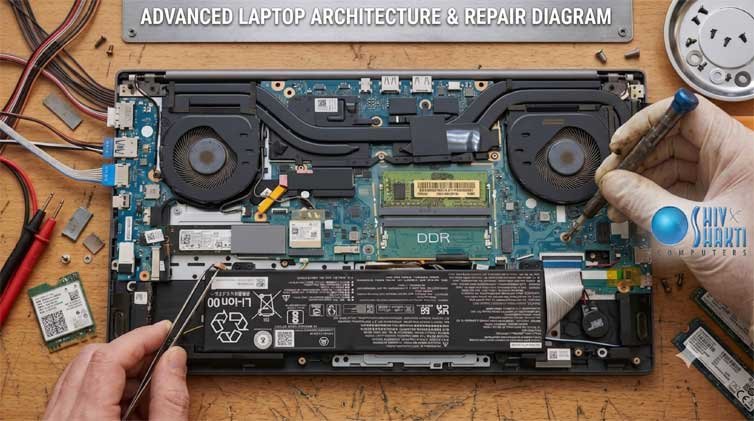
While the chassis is open, the technician uses high-pressure antistatic air blowers to clear lint and dust mats from the cooling radiator and fan impellers, ensuring lower operational temperatures for the new battery.

Stage 5: Installation of Certified Power Packs

We install a brand-new, matching-specification battery pack, connect the communication bus to the motherboard, and secure all factory mounting screws to original torque standards.

Stage 6: Firmware Handshake & Charge Cycling

The engineer boots the machine into diagnostic firmware to verify that the power management micro-controller correctly reads cell serial numbers, design capacity, and charging curves, followed by a live charging test on AC power.

Common Power Anomalies Diagnosed Onsite

Beyond simple chemical wear, our technicians frequently diagnose complex charging and electrical abnormalities directly at client premises.

1. The Battery Percent Freeze (“Plugged In, Not Charging”)

If a laptop functions normally when plugged into the wall but refuses to charge the battery past a fixed threshold, the issue may stem from embedded firmware protection modes or a blown charging rail MOSFET. Applying an expert Lenovo laptop plugged in not charging fix involves checking battery conservation settings in Lenovo Vantage, discharging latent static electricity, updating ACPI battery drivers, or testing current-sensing resistors on the motherboard.

2. Display Backlight Instability & Signal Noise

Physical battery expansion often flexes the chassis, placing mechanical tension on internal cables running toward the display hinges. When screen brightness flickers intermittently during lid adjustments, scheduling a dedicated Lenovo display light flickering repair ensures technicians inspect the embedded DisplayPort (eDP) cable harness for micro-fraying and verify stable ground loops.

3. AC Adapter Pin Failure and Loose DC Jacks

Many perceived battery charging failures actually originate from damaged center pins inside slim-tip or USB-C chargers. Our field engineers carry portable digital multimeters to test charger output wattage and detect loose internal DC sockets on the spot.

Workshop Quality Standards & Mobile Bench Tools

+-----------------------------------------------------------------------------------------+
|                         FIELD SERVICE TOOLING & COMPLIANCE                              |
+------------------------------------+----------------------------------------------------+
| Diagnostic Tools                   | Uni-T Digital Multimeters & Battery Bus Analyzers  |
+------------------------------------+----------------------------------------------------+
| Static Protection                  | ESD Anti-Static Field Work Mats & Grounded Straps  |
+------------------------------------+----------------------------------------------------+
| Extraction Instruments             | Non-Conductive Nylon Spudgers & Adhesive Releasers |
+------------------------------------+----------------------------------------------------+
| Safety Transport                   | Flame-Retardant LiPo Fire Bags for Degraded Packs  |
+------------------------------------+----------------------------------------------------+
💡

ShivShakti Laptop Repair Address Location

Business Name: ShivShakti Laptop Service Repair Center
Address: JAIPUR STOCK EXCHANGE, 191, Jawahar Lal Nehru Marg, D-Block, Crystal Court, Malviya Nagar, Jaipur, Rajasthan 302017
Operating Hours: Monday – Saturday: 10:00 AM – 8:00 PM | Sunday: Closed

Frequently Asked Questions: Doorstep Diagnostic & Battery Replacement

1. How quickly can a technician visit my home or office in Jaipur for an onsite battery replacement?

Our mobile technicians usually arrive within 2 to 4 hours of appointment confirmation across major Jaipur areas like Malviya Nagar, C-Scheme, Mansarovar, Jagatpura, and Tonk Road, complete with matching replacement battery stock.

2. How can I tell if my laptop battery is swollen and unsafe to use?

Common signs of a swollen battery include a stiff or raised trackpad that won't click properly, a gap along the laptop palm-rest seam, or the machine wobbling on flat surfaces. If you notice these symptoms, power off the laptop immediately and avoid charging it until the battery is safely replaced.

3. Are the replacement batteries provided during doorstep visits covered by a warranty?

Yes. Every replacement battery installed during our on-site visits comes with a full replacement warranty ranging from 6 to 12 months, complete with an official digital invoice and warranty registration for your peace of mind.

4. Can internal laptop batteries be replaced at home without losing saved files?

Yes, battery replacement is purely a hardware power procedure. It does not alter your solid-state drive, operating system, or personal files. All your data, documents, and system settings remain completely intact.

5. Where is your headquarters if I prefer to walk in directly for repair in Jaipur?

Our primary service facility is located at JAIPUR STOCK EXCHANGE, 191, Jawahar Lal Nehru Marg, D-Block, Crystal Court, Malviya Nagar, Jaipur. We are open Monday through Saturday from 10:00 AM to 8:00 PM for walk-in inspections.

Client Case Studies: Doorstep Diagnostics & Battery Upgrades

Sunil Agarwal (Chartered Accountant, C-Scheme) ★★★★★

Service: Doorstep Battery Replacement · Model: ThinkPad X1 Carbon

"During tax audit week, my ThinkPad died the moment I disconnected the charger. I couldn't afford to leave my office to drop off the laptop. I scheduled an on-site visit with ShivShakti Laptop Service Repair Center. The engineer arrived at my C-Scheme office within three hours, tested the internal power rail, and installed a certified battery pack right at my desk in 25 minutes. Flawless doorstep execution!"

Pooja Shekhawat (Remote Product Manager, Jagatpura) ★★★★★

Service: Onsite Swollen Battery Extraction · Model: IdeaPad Slim 5

"My trackpad started lifting up and refused to click properly. I realized the battery beneath was swelling up dangerously. Their mobile technician visited my home in Jagatpura, safely removed the bloated battery pouch without damaging the casing, cleaned out interior dust, and fitted a brand-new battery. The trackpad clicks normally again and battery life is back to over 6 hours. Fast, reliable, and professional service!"

Dr. Manish Tiwari (Associate Professor, Sitapura) ★★★★★

Service: Campus Doorstep Diagnostic · Model: ThinkBook 15

"My laptop was constantly restarting and showing a 'Battery not detected' error. The technician came directly to our staff quarters near Sitapura, tested the motherboard battery connection bus, and discovered a worn-out connector pin. He fixed the pin tension, ran a battery report, and verified proper charging before leaving. Excellent technical knowledge and great on-site convenience!"

Rohit Sen (Software Engineer, Mansarovar) ★★★★★

Service: Doorstep Diagnostic & Battery Swap · Model: Legion 5

"My gaming laptop battery degraded from 4 hours down to barely 15 minutes of runtime. The field technician arrived right on schedule at my home in Mansarovar, set up an ESD-safe workspace, and replaced the internal 80Wh battery. He also demonstrated the charging telemetry and verified proper power delivery under load. Top-tier technical service without leaving home!"

Megha Jain (UI Designer, Raja Park) ★★★★★

Service: Home Diagnostic & Rapid Replacement · Model: Yoga Slim 7

"Working from home means I can't be without my computer for days. ShivShakti's doorstep repair service was a lifesaver. The engineer came to my flat in Raja Park, diagnosed erratic battery capacity readings, and installed a brand-new original battery in less than an hour. He provided an official invoice and full warranty on the spot. Highly recommended!"

Deepak Sharma (Export Consultant, Tonk Road) ★★★★★

Service: Onsite Power Adapter & Battery Test · Model: ThinkPad E14

"I wasn't sure if my laptop's charging issue was caused by a dead battery or a faulty power adapter. The visiting technician brought testing equipment to my Tonk Road office, checked the adapter output, and diagnosed an exhausted battery pack. He replaced the battery immediately and walked me through battery conservation settings. Very polite and knowledgeable professional!"

Kavita Rathore (School Principal, Tilak Nagar) ★★★★★

Service: Home Visit & Battery Replacement · Model: IdeaPad 3

"My daughter's study laptop was shutting down abruptly during online classes. We booked an at-home service call. The technician arrived punctually at our home in Tilak Nagar, handled the laptop with care on an anti-static mat, and swapped out the old battery. He also cleaned the fan vents without extra charge. Wonderful experience!"

Vikramaditya Mathur (Fintech Developer, Pratap Nagar) ★★★★★

Service: Doorstep Diagnostic & Battery Upgrade · Model: LOQ 15

"My laptop was stuck showing '0% available, plugged in, charging' for three days. ShivShakti's mobile team came to my residence in Pratap Nagar, performed a static drain, updated the power management drivers, and replaced the failing battery pack. Everything was handled right in front of me with total transparency. The premier doorstep computer repair service in Jaipur!"

More About Lenovo Support

Lenovo Laptop Water Damage Repair & Dead Motherboard Revival Jaipur

An unexpected liquid spill over a running notebook is one of the most stressful technical emergencies any computer owner can face. Whether it is morning tea slipping across an IdeaPad keyboard, water...

Lenovo Legion Overheating Solution & GPU Thermal Paste Service Jaipur

Intense frame rate plunges, thermal throttling, howling exhaust fans, and sudden shut-offs during high-load render pipelines or competitive esports sessions signal a severe thermal dissipation...

Lenovo Laptop Broken Hinge Fabrication & Body Shell Replacement Jaipur

Lenovo Laptop Broken Hinge Fabrication & Body Shell Replacement Jaipur A sharp cracking noise when lifting your laptop screen, a separating outer plastic bezel, or a display panel that flops...

Lenovo ThinkPad Blue Screen Crash Fix & SSD Data Extraction Jaipur

An unexpected operating system halt—characterized by the infamous Stop Error screen, looping automatic recovery cycles, or a failure to detect an internal solid-state boot volume—presents an immediate...

Doorstep Lenovo Laptop Diagnostic & Onsite Battery Replacement Jaipur

A notebook that abruptly shuts down the second its wall charger is unplugged, displays a swollen chassis seam beneath the trackpad, or discharges from full capacity to zero in twenty minutes severely...

Expert Lenovo Service Center in Mansarovar, C-Scheme & Raja Park Jaipur

Expanding High-Precision Computer Restoration Across Jaipur’s Major Suburbs Whether you are running a business office in C-Scheme, managing boutique operations in Raja Park, studying in Mansarovar, or...

Professional Lenovo Chip Level Laptop Repairing Jaipur

Technical Excellence for Out-of-Warranty System Restoration Across Rajasthan When your everyday portable workstation Encounters black screen anomalies, sudden firmware loops, or battery power...

Lenovo Laptop Repair Near MNIT, SKIT & Poornima Jaipur | Quick Fix Today

The Academic Emergency Desk: Rapid Engineering Support for Jaipur’s Student Hubs Midterm assignments, research coding sessions, and major final project submissions leave zero room for sudden hardware...

Lenovo Laptop Service Center in Jaipur | Fast Repair in Malviya Nagar & GT Road

Your Trusted Hub for Rapid Out-of-Warranty Lenovo Notebook Solutions in Pink City When your computer stutters right before a critical university submission, a business presentation, or an online...

Main Menu

/* Floating Call & WhatsApp Buttons */
📞 💬
/* Floating Call & WhatsApp Buttons */