
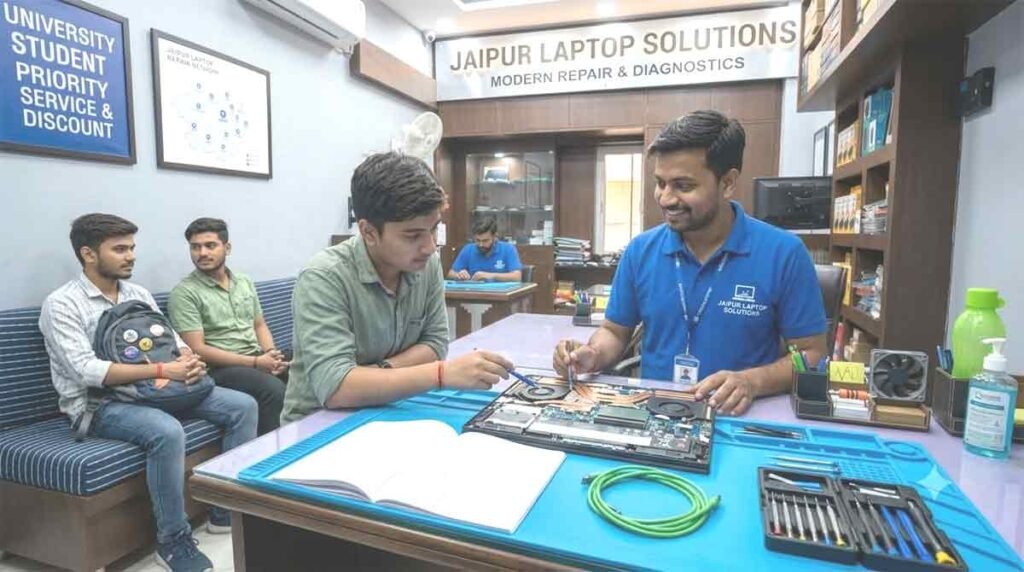
Technical Excellence for Out-of-Warranty System Restoration Across Rajasthan
When your everyday portable workstation Encounters black screen anomalies, sudden firmware loops, or battery power negotiation failures, finding a dependable repair center is critical. ShivShakti Laptop Service Repair Center provides an advanced diagnostic and micro-soldering bench facility designed to resolve hardware and power circuit defects in modern portable computers.
Table of Contents
ToggleLocated at Crystal Court Mall on Jawahar Lal Nehru (JLN) Marg in Malviya Nagar, our workshop serves individuals, students, and commercial enterprises throughout Jaipur with direct, transparent technical support.
Why Independent Micro-Level Repair Beats Standard Board Swaps
Many corporate support channels default to recommending complete system board replacements for minor component faults. Our laboratory focuses on precise micro-level circuit diagnosis, replacing only the exact failed IC, diode, or power MOSFET.
+-----------------------------------------------------------------------+
|                    CENTER HIGHLIGHTS & ACCESS                         |
+-----------------------------------------------------------------------+
|  Primary Location: 191, Jaipur Stock Exchange, Crystal Court Mall,    |
|                    Malviya Nagar, JLN Marg, Jaipur, Rajasthan 302017 |
|  Key Landmarks   : Opposite GT Mall, near Apex Circle & Jawahar Circle|
|  Engineering     : Oscilloscope analysis, BGA reballing, SPI flash    |
|  Hours           : Monday to Saturday: 10:00 AM – 8:00 PM (Sun Closed)|
+-----------------------------------------------------------------------+
The Component-Level Technical Advantage
By isolating and replacing damaged surface-mount components rather than swapping the entire mainboard assembly, clients preserve original board layouts while reducing overall repair expenses by up to 70%.
Specialized Engineering Services for Complex Notebook Failures
Our workbench features multi-meters, digital oscilloscopes, regulated DC power supplies, SPI EEPROM programmers, and infrared BGA stations to handle intricate circuitry.
                 +-----------------------------------+
                 |    Inward Diagnostic Desk         |
                 +-----------------+-----------------+
                                   |
                                   v
                 +-----------------------------------+
                 | Circuit Voltage & Line Inspection |
                 +-----------------+-----------------+
                                   |
                                   v
                 +-----------------------------------+
                 | Component Micro-Soldering / Parts |
                 +-----------------+-----------------+
                                   |
                                   v
                 +-----------------------------------+
                 | Extended Hardware Stress Audit    |
                 +-----------------------------------+
Lenovo Laptop Not Charging or Turning On? Best Repair Specialist in Jaipur
Technical Emergency Guide: Solving Power, Boot & Screen Failures
When your computer suddenly refuses to respond to the power button, shows a static power LED, or gives a persistent warning light, daily operations come to a complete halt. Whether you are preparing an essential office report or finishing university coursework, electrical failure can be alarming. Lenovo Chip Level Laptop Repairing Jaipur provides an advanced component-level bench laboratory designed to diagnose and rectify power delivery faults, mainboard short circuits, and screen anomalies.
Located conveniently at Crystal Court Mall on Jawahar Lal Nehru (JLN) Marg in Malviya Nagar, our workshop offers rapid diagnostic evaluations for users across Pink City, connecting major corridors like Tonk Road, GT Road, and Gopalpura Bypass.
Why Is Your Notebook Not Powering Up? Circuit-Level Breakdown
When a system fails to boot, the root cause usually stems from an electrical bottleneck on the system board, a degraded power controller, or an unstable battery interface.
+-----------------------------------------------------------------------+
|                    QUICK DIAGNOSTIC SUMMARY TABLE                     |
+-----------------------------------------------------------------------+
|  Symptom Observed           | Likely Circuit/Hardware Root Cause     |
+-----------------------------+-----------------------------------------+
| No LED lights when plugged  | Blown input MOSFET / Primary short      |
| Blinking power indicator    | Corrupted EC firmware / Standby rail fix|
| Screen stays pitch black    | RAM channel failure / Corrupted BIOS    |
| Power drops on load         | Thermal throttling / Degraded battery   |
+-----------------------------------------------------------------------+
Understanding Primary & Secondary Power Rails
Modern system boards use multiple voltage rails. The primary 19V line distributes power from your charger across the board. Step-down converters then create secondary 3.3V and 5V standby rails for the Super I/O controller and BIOS memory. If a tiny ceramic capacitor on the 19V rail suffers dielectric breakdown and shorts to ground, the power adapter’s internal protection shuts down power immediately to prevent fires.
Specialized Bench Procedures for Complex Power & Display Faults
Our laboratory uses precision tools—including digital oscilloscopes, multi-meters, thermal cameras, and regulated DC bench supplies—to isolate hardware issues down to individual surface-mount devices.
                 +-----------------------------------+
                 |    Initial Visual & Current Audit |
                 +-----------------+-----------------+
                                   |
                                   v
                 +-----------------------------------+
                 | Circuit Line Tracing & Thermal Map|
                 +-----------------+-----------------+
                                   |
                                   v
                 +-----------------------------------+
                 | Component Soldering & Reflash     |
                 +-----------------+-----------------+
                                   |
                                   v
                 +-----------------------------------+
                 | Comprehensive Power Stress Loop   |
                 +-----------------------------------+
1. Circuit Board Power Tracing & Micro-Soldering
Instead of forcing clients into costly full system board replacements, our engineers focus on component-level micro-soldering:
-
Short Circuit Detection: Injecting precise low-voltage current while using thermal sensors to instantly locate shorted capacitors or shorted power MOSFETs.
-
Super I/O & Embedded Controller (EC) Programming: Reflashing or replacing corrupted EC chips to restore power-on sequence signaling.
-
Type-C Power Delivery (PD) Negotiation Fixes: Replacing damaged power ICs (such as Intersil or Texas Instruments controllers) when Type-C fast charging fails.
2. Resolving Display & Backlight Glitches
Sometimes a computer turns on—indicated by spinning fans and lit key LEDs—but the screen remains dark or stutters.
-
If your device experiences screen stuttering or dark screen artifacts, our bench team carries out a precise Lenovo display light flickering repair by testing eDP ribbon cable continuity, verifying backlight enable signals, and replacing blown display fuses on the board.
3. Power Jack Refastening & Charging Line Repairs
Repeated cable strain often damages internal charging connectors.
-
When your power software shows continuous charging glitches, using our Lenovo laptop plugged in not charging fix workflow helps isolate whether the problem originates from a degraded battery management system (BMS), a damaged DC input jack, or a shorted current-sense resistor.
Geographic Reach Across Key Jaipur Districts
Our facility at Crystal Court Mall along JLN Marg serves as a central hub for all major residential, commercial, and educational sectors in Jaipur.
       +-------------------------------------------------------+
       |   MALVIYA NAGAR HUB (Crystal Court / JLN Marg)       |
       +---------------------------+---------------------------+
                                   |
         +-------------------------+-------------------------+
         |                         |                         |
         v                         v                         v
+------------------+     +------------------+     +------------------+
| TONK ROAD &      |     | JAGATPURA &      |     | RAJA PARK,       |
| MANSAROVAR BELT  |     | SITAPURA ZONE    |     | C-SCHEME & EAST  |
+------------------+     +------------------+     +------------------+
Educational Corridors: Jagatpura & Sitapura
Engineering and management students need fast hardware repairs during exams and project work. If you are searching for a trustworthy Lenovo service center near SKIT Jaipur, taking Mahal Road toward Apex Circle leads straight to our repair center.
Students residing near Sitapura, JNU, or Model Town who require fast Lenovo laptop repair Jagatpura services can rely on our express diagnostic desk for same-day turnaround on batteries, keyboards, and RAM upgrades. Likewise, if you need an expert Lenovo center near Poornima College Jaipur, our facility provides fast cooling maintenance and display replacements.
Commercial & Residential Districts: Raja Park, C-Scheme & Beyond
Business professionals and home offices across central Jaipur enjoy easy transit options:
-
Raja Park & Jawahar Nagar: Fast transit via JLN Marg for residents seeking dependable Lenovo laptop repair Raja Park options or complete Lenovo laptop service Jawahar Nagar Jaipur facilities.
-
C-Scheme Business Hub: Corporate users looking for a reliable Lenovo service center C-Scheme alternative receive itemized GST invoices, detailed circuit testing, and rapid turnarounds to keep downtime minimal.
-
Tonk Road & Mansarovar: Straightforward connection via Gopalpura Bypass for quick drop-offs and hardware evaluations.
Full Product Series Coverage
We service the complete lineup of portable Lenovo machines:
+------------------+----------------------------------------------------+
| LENOVO SERIES    | COMMON HARDWARE ISSUES RESOLVED                    |
+------------------+----------------------------------------------------+
| ThinkPad         | Liquid spill cleanup, Type-C port repair, BIOS fix  |
| IdeaPad & Slim   | Hinge anchor rebuild, power short fix, screen swap |
| Legion / LOQ     | Thermal compound refresh, GPU power rail fix       |
| Yoga Convertible | 360-degree hinge rebuild, touch digitizer repair   |
| ThinkBook        | Battery replacement, charging port repair, OS setup|
+------------------+----------------------------------------------------+
ThinkPad Enterprise Series
Renowned for structural durability, ThinkPads can still experience damaged Type-C Thunderbolt ports or BIOS corruption. We stock original ThinkPad keyboards, spill-resistant internal plates, and OEM battery modules.
IdeaPad & IdeaPad Slim Series
Widely used across local student neighborhoods. Common repairs include rebuilding cracked internal hinge mounts, replacing cracked panels, and fixing shorted power rails caused by non-standard chargers.
Legion & LOQ Gaming Series
High-draw gaming hardware generates high internal heat. We clean clogged copper heatsink fins, reapply phase-change thermal materials (such as Honeywell PTM7950), and rebuild damaged VCORE power lines.
Yoga 360 Convertible Series
Dual-hinge systems require precise assembly care. We re-align bent hinges, replace cracked digitizer glass, and calibrate touch sensors.
Step-by-Step Diagnostic Workflow
We keep you updated at every step of the repair process:
+-------------------------------------------------------------------------+
|                  4-STEP SERVICE WORKFLOW AT SHIVSHAKTI                 |
+-------------------------------------------------------------------------+
| Step 1: Inward Receipt & Initial Physical Assessment                    |
|         Microscopic inspection, serial log, bench power test.           |
|                                                                         |
| Step 2: Signal Tracing & Upfront Cost Estimate                          |
|         Clear pricing breakdown provided before work begins.            |
|                                                                         |
| Step 3: Precision Component Repair & Thermal Servicing                  |
|         Micro-soldering, OEM parts fitting, dust & heatsink cleanup.    |
|                                                                         |
| Step 4: Multi-Point Quality Audit & extended Stress Run                 |
|         Display checks, I/O verification, 48-hour burn-in stress run.   |
+-------------------------------------------------------------------------+
Step 1: Inward Log & Physical Inspection
When you drop off your device, our technician inspects it under a stereo zoom microscope, logging physical condition, serial details, and reported power issues.
Step 2: Multi-Meter Circuit Assessment
We test primary and secondary rails using regulated power supplies to detect ground shorts, leaking diodes, or non-responsive logic gates.
Step 3: Transparent Pricing Approval
We provide a detailed estimate covering hardware parts and labor. Repair work starts only after you review and approve the quote.
Step 4: Post-Repair Testing Audit
Repaired devices undergo thorough testing:
-
Thermal Stress Checks: Extended CPU and GPU workload runs to confirm system stability under heavy use.
-
Interface Verification: Checking every USB port, HDMI port, audio jack, trackpad gesture, and wireless connection.
Turnaround Time & Component Warranty Guide
+----------------------------------+-----------------------+---------------------+
| REPAIR CATEGORY                  | TYPICAL TURNAROUND    | WARRANTY PERIOD     |
+----------------------------------+-----------------------+---------------------+
| Thermal Clean & Compound Refresh | 30 - 45 Minutes       | 30 Days             |
| Screen Assembly Replacement      | 30 - 45 Minutes       | 90 to 365 Days      |
| Keyboard Unit Fitting            | 1 to 2 Hours          | 90 to 180 Days      |
| Original Battery Replacement     | 30 Minutes            | 180 to 365 Days     |
| Charging Port Repair             | 2 to 4 Hours          | 90 Days             |
| Mainboard Micro-Soldering        | 24 to 48 Hours        | 90 Days             |
+----------------------------------+-----------------------+---------------------+
Visit Our Malviya Nagar Technical Center Today
If your computer fails to power on, suffers from charging glitches, or shows display stuttering, visit ShivShakti Laptop Service Repair Center for fast diagnostic and micro-soldering services.
Store Location & Business Details
-
Business Name: ShivShakti Laptop Service Repair Center
-
Address: JAIPUR STOCK EXCHANGE, 191, Jawahar Lal Nehru Marg, D-Block, Crystal Court, Malviya Nagar, Jaipur, Rajasthan 302017
-
Landmarks: Directly opposite GT Mall, near Apex Circle & Jawahar Circle along JLN Marg
-
Operating Hours: Monday to Saturday: 10:00 AM – 8:00 PM | Sunday: Closed
-
Specialties: Micro-soldering, short circuit removal, liquid spill restoration, display & battery replacement
Frequently Asked Questions
1. Why is my laptop light blinking orange when connected to the power adapter?
A blinking orange light typically indicates that the system board detects a deeply depleted battery, an improper power input level, or a faulty charge control chip. Our bench team tests the primary rail voltages and battery management signals to resolve the issue.
2. How long does a board-level power repair take at your Malviya Nagar laboratory?
Standard power fixes, such as replacing a broken DC jack or fitting an original battery, take 30 to 60 minutes. Complex motherboard micro-soldering, short circuit removal, or EC firmware reflashing typically requires 24 to 48 hours for full stress testing.
3. What steps should I take if liquid spills over my keyboard and the machine shuts down?
Unplug the power charger immediately and do not attempt to turn the machine back on. Avoid putting it in rice, which can trap moisture and accelerate internal corrosion. Bring the machine directly to our workshop for an ultrasonic cleaning treatment to neutralize circuit oxidation.
4. Will my stored files and data stay safe during motherboard power repairs?
Yes, circuit repairs on power lines, charging ports, screens, or cooling fans do not alter your internal storage drive. If an operating system repair is required, we isolate and back up your critical documents first.
5. Do you stock original chargers, batteries, and display panels for out-of-warranty models?
Yes, we maintain an inventory of original specification power adapters, internal batteries, full-HD screens, and keyboards for all product families (IdeaPad, ThinkPad, Yoga, Legion, LOQ). Replaced components include clear warranty coverage ranging from 90 to 365 days.
Client Reviews & Issue Solutions
Verified Fix: IdeaPad Slim 3 Primary Power Rail Short Circuit
Client: Deepak Saini (Tonk Road Jaipur) | Rating: ★★★★★
"My computer went completely dead after a power surge at home. It showed zero signs of life when plugged in. ShivShakti diagnosed a shorted input MOSFET on the primary 19V rail and replaced the faulty chip within 24 hours. Works perfectly!"
Verified Fix: ThinkPad E14 Type-C Power Delivery Connector Repair
Client: Vikas Mathur (C-Scheme Jaipur) | Rating: ★★★★★
"The charging port on my office ThinkPad became loose and stopped charging unless held at an angle. The team desoldered the damaged Type-C port and fitted an original connector. The connection is rock-solid again!"
Verified Fix: Legion 5 Pro Thermal Throttling & Fan Replacement
Client: Aman Verma (Jagatpura Jaipur) | Rating: ★★★★★
"My machine was hitting 97°C while rendering 3D graphics, causing loud fan noise and sudden power cutoffs. They replaced a noisy cooling fan, cleaned out the heatsinks, and applied phase-change thermal paste. Operating temperatures dropped by 18°C!"
Verified Fix: IdeaPad 3 Display Cable Replacement
Client: Radhika Khandelwal (Raja Park Jaipur) | Rating: ★★★★★
"My display kept flickering violently whenever the screen was moved. I thought I needed a new screen, but the technician identified a pinched internal eDP cable. They replaced it in 45 minutes while I waited in the shop!"
Verified Fix: Yoga 530 Broken Hinge & Base Anchor Reconstruction
Client: Mohit Sharma (Malviya Nagar Jaipur) | Rating: ★★★★★
"The right hinge pulled completely out of the plastic bottom base, leaving the screen hanging loose. The engineers reinforced the mounting posts using steel-epoxy. The hinge mechanism moves smoothly now."
Verified Fix: ThinkBook 14 Liquid Spill Board Restoration
Client: Sanjay Pareek (Jawahar Nagar Jaipur) | Rating: ★★★★★
"Spilled coffee over the keyboard during a late night at work. Brought it straight to their JLN Marg outlet. They treated the board in an ultrasonic cleaning bath, replaced the damaged keyboard, and saved my data."
Verified Fix: Corrupted BIOS Reflash & Boot Recovery
Client: Ashish Choudhary (Pratap Nagar Jaipur) | Rating: ★★★★★
"An interrupted firmware update left my machine completely unbootable—power lights stayed on, but the display remained dark. They removed the SPI chip, reflashed the original factory BIOS, and restored normal operation."
Verified Fix: Battery Replacement & Speed Optimization
Client: Neha Rastogi (Gopalpura Bypass Jaipur) | Rating: ★★★★★
"My battery was swelling and wouldn't hold a charge for more than 15 minutes. They installed an original battery, added a 512GB NVMe SSD, and migrated my operating system in under an hour!"